
When Garba logs a meeting or an email to your CRM, it links the activity to the people involved. If one of those people isn't in your CRM yet, Garba can add them as a new contact automatically — so nothing falls through the cracks.
What it does
With this turned on, any meeting or email participant who isn't already in your CRM is created as a new contact, and the meeting or email is then logged against them. It applies to both meeting sync and email sync.
Turning it on
An account admin can enable it under Setup → Account Settings → CRM & Integrations.
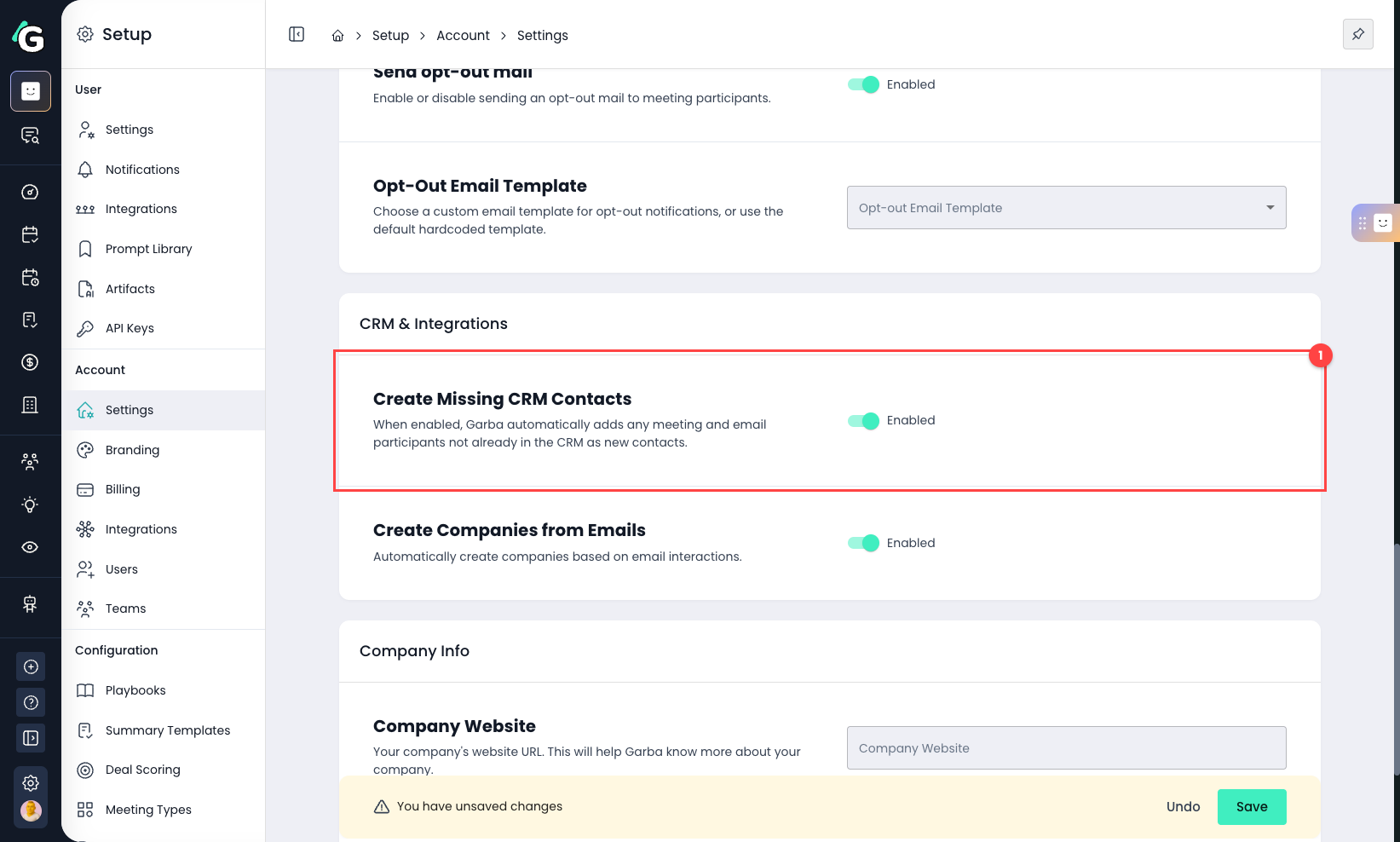
Create Missing CRM Contacts — switch this on to let Garba add participants who aren't in your CRM yet. (The nearby “Create Companies from Emails” option does the same for companies.)
Who gets added — and who doesn't
Garba only adds real, external people. It will not create a contact for:
People already in your CRM — matched on their email address, so you don't get duplicates.
Your own colleagues — anyone on your internal email domains is treated as internal and skipped, so set those up under Account Settings.
Automated and system addresses — calendar resource addresses and similar non-human senders are ignored.
A note for email sync
Email reaches a much wider range of senders than meetings — newsletters, notifications, and personal addresses included. If you turn this on together with email sync, Garba may create more contacts than you expect.
Configure your internal domains first, so colleagues aren't added as external contacts.
Decide per use case whether automatic creation is worth it for email, or whether you'd rather only log emails to contacts that already exist.
Salesforce: required fields on new contacts
Some Salesforce setups make certain Contact fields mandatory (for example a required “Lead Source”). If a required field is missing, Salesforce rejects the new contact and it won't be created.
To handle this, Garba can be configured to fill in default values for those fields whenever it creates a contact — so creation always succeeds and your records stay consistent. This is set up for you by the Garba team (it isn't self-serve yet).
To request it — contact Garba support with the Salesforce field names and the default value you'd like for each. This is currently available for Salesforce only.