
If you have an existing meeting recording that wasn't captured by Garba automatically, you can upload it directly from the dashboard. Garba will transcribe, analyze, and generate insights just like any other meeting.
Step 1: Open the Upload Dialog
From your dashboard, scroll down to the bottom toolbar and click the Upload Meeting button.
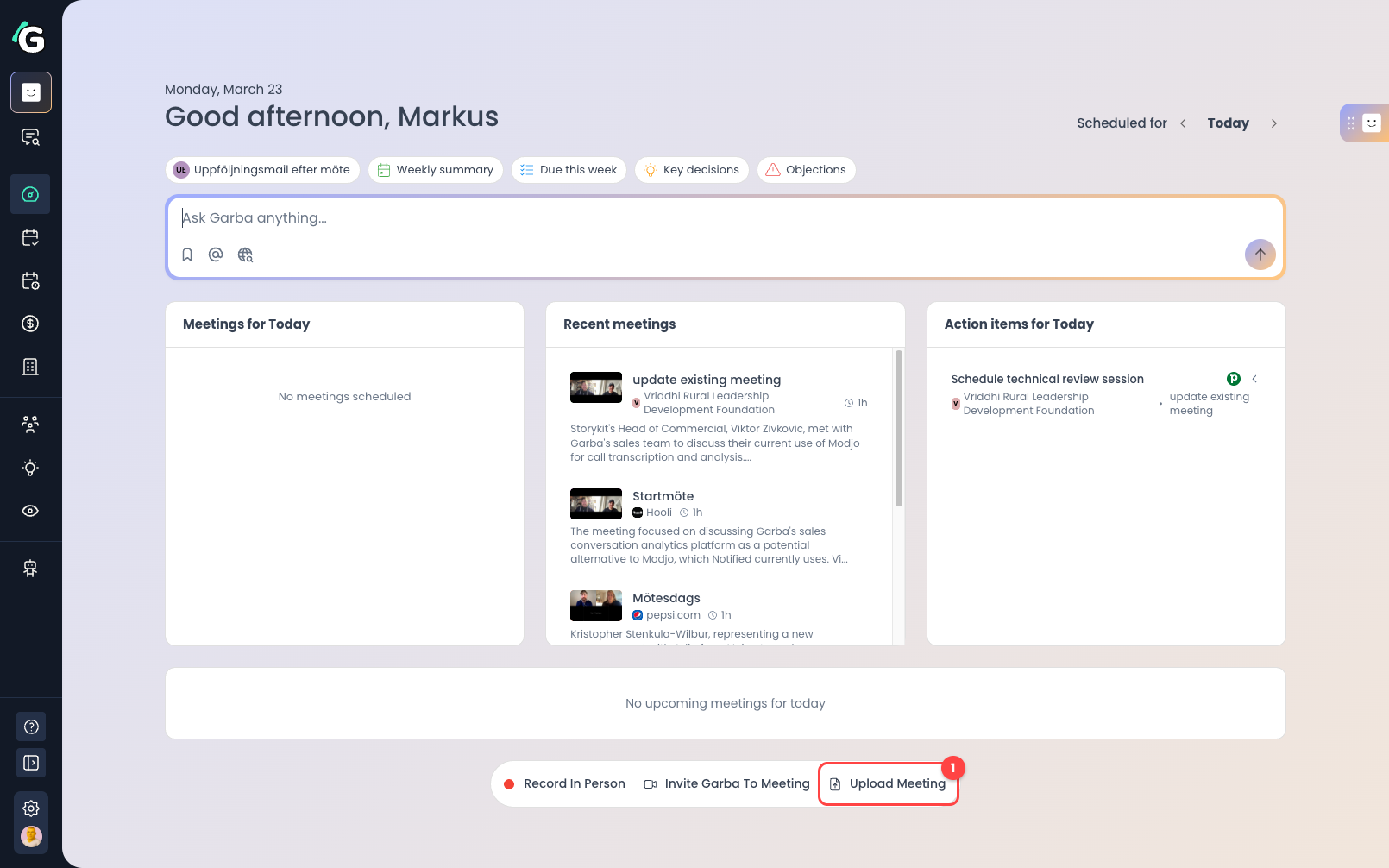
Upload Meeting — Click this button to open the upload dialog.
Step 2: Fill in Meeting Details
In the upload dialog, provide the recording file and meeting details.
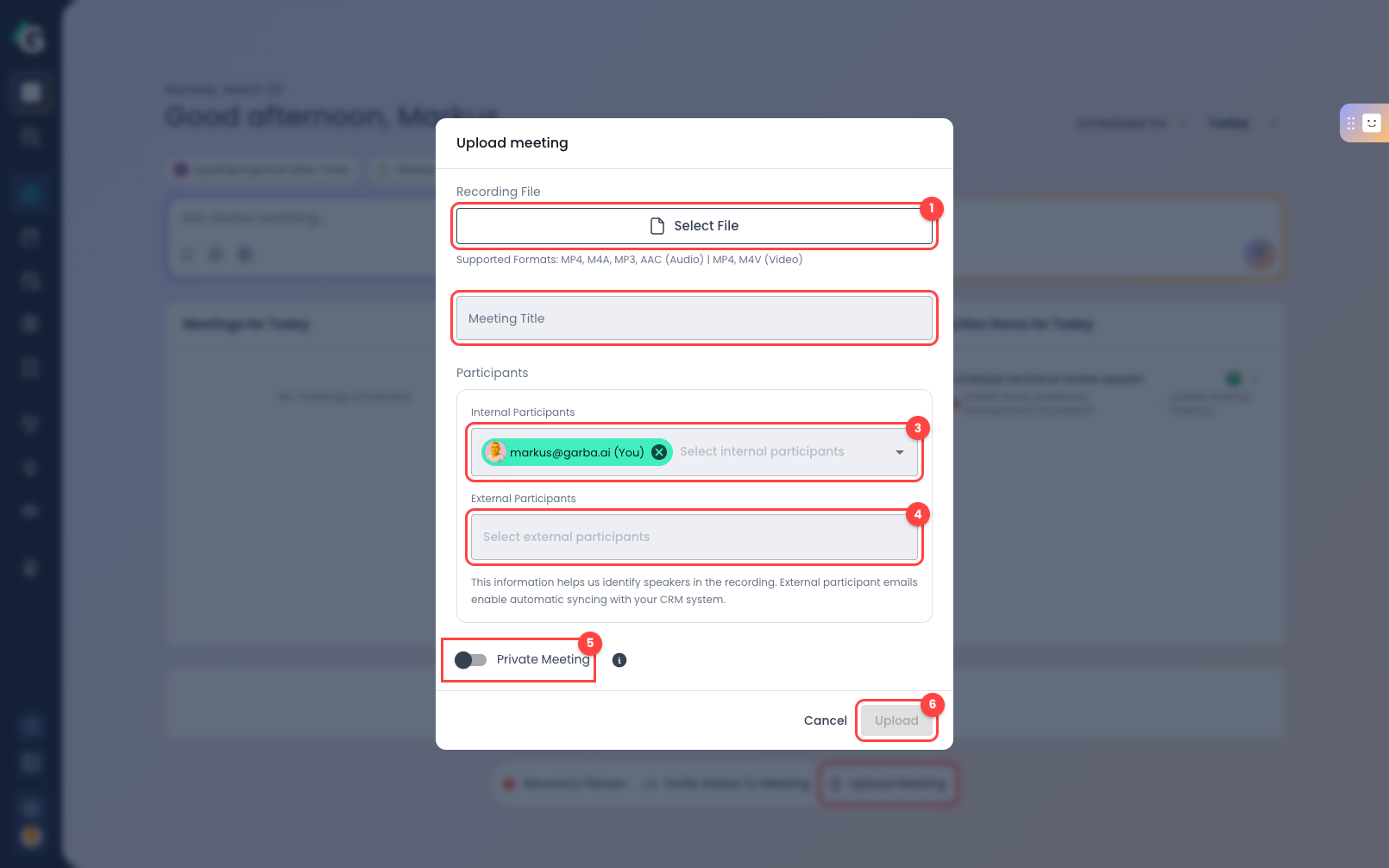
Select File — Click to choose your recording file. Supported formats: MP4, M4A, MP3, AAC (audio) and MP4, M4V (video).
Meeting Title — Enter a descriptive title for the meeting.
Internal Participants — Select team members who were in the meeting. You are added by default.
External Participants — Add external participant emails. This helps identify speakers and enables automatic CRM syncing.
Private Meeting — Toggle this on if you want the meeting to be visible only to you.
Upload — Once you've selected a file and filled in the details, click Upload to start processing. Garba will transcribe and analyze the recording automatically.