
When using Ask Garba — whether in a meeting, company, or general context — Garba can generate an editable Artifact whenever you ask it to create content.
Artifacts are fully customizable and designed to help you quickly turn AI-generated content into polished, shareable content.
Kinds of Artifacts
Reports – documents you can edit and export.
Mail – emails you can edit and copy into your email client.
HTML – web pages you can preview, edit as text or code, and publish.
Branding
Reports and HTML Artifacts automatically follow the Artifact Branding you’ve configured under Settings → Account → Branding. An HTML Artifact uses another look only if you ask for one.
This ensures your documents are consistent with your organization’s visual identity.
Editing Your Artifact
You can edit any part of an Artifact:
✏ Manual editing — Update the text directly. In a report, you can also insert headings, lists, tables, KPI metrics, charts and images.
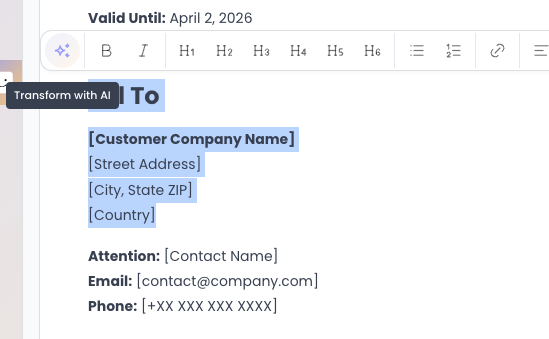
🤖 Transform with AI — In a report or a mail, select a section, click Transform with AI, and describe the change you want, for example "Make it more formal".
Make as many changes as needed until the content is ready.
Exporting
When you're happy with a report, click Export to download it as a PDF or a Word (.docx) file, or to publish it as a link. Reports and Mail Artifacts also have a copy-to-clipboard button, and an HTML Artifact can be published as a link.
Where to Find Your Artifacts
All generated Artifacts are listed on the Artifacts page, under your user settings:
👉 https://app.garba.ai/setup/artifacts
From there, you can view, edit, and manage your Artifacts at any time.