
The Companies page gives you a complete overview of each customer — perfect for handovers, prep, and strategy.
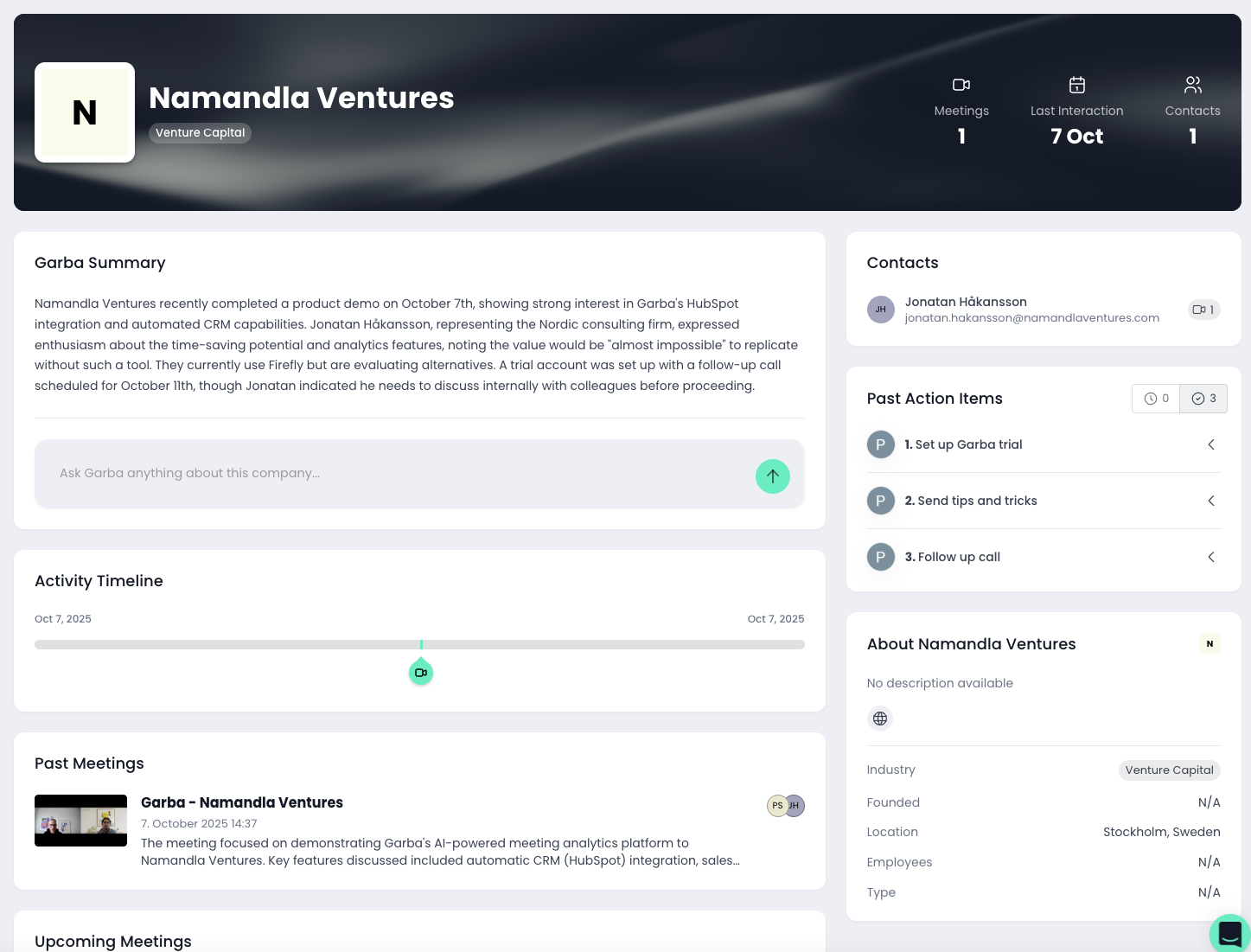
1. Company overview
You can access the Company page directly from any meeting involving that customer or from the main Companies section. Here you’ll find:
An AI-generated summary of where you stand with the account
A full timeline of past interactions
All associated contacts
Key insights pulled from every meeting
It’s the fastest way to understand the status of any customer relationship.
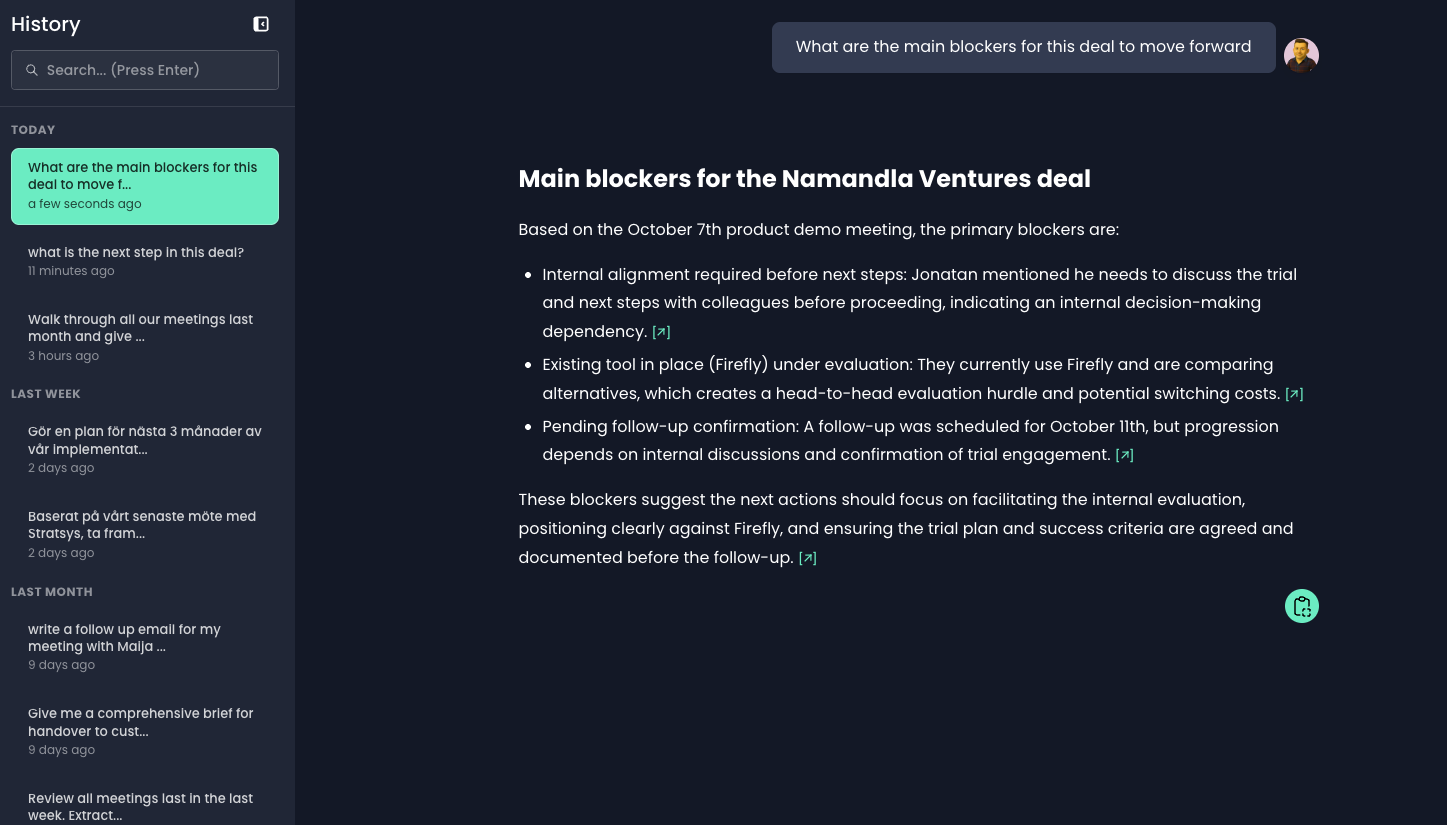
2. Ask Garba for the full picture
From the chat panel, you can ask Garba anything - with every conversation you’ve had with that client as context. Try questions like:
“What are this customer’s biggest blockers?”
“Prepare a handover to customer success.”
“Create pre-meeting notes for tomorrow’s meetings”
“What does the customer value most?”
Garba uses semantic search, so it understands meaning — not just keywords.