
1. Connect your calendar
Go to User Integrations and connect either your Google or Outlook calendar.
Then head to User Settings and choose when Garba should automatically join your meetings.
Most users select “Only meetings with people outside my company.”
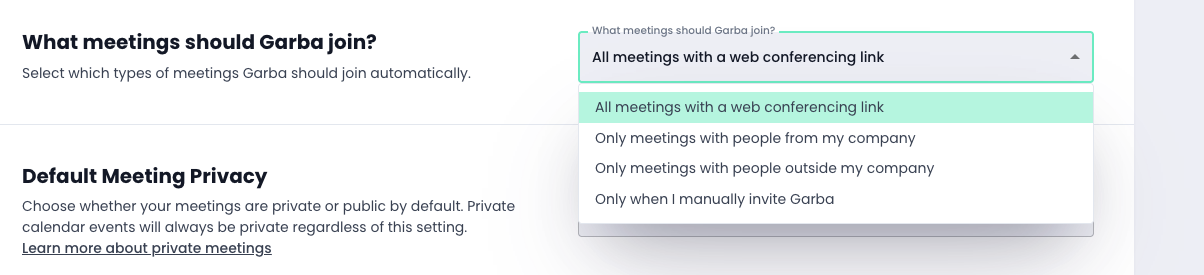
You can always invite Garba manually by clicking Record on any meeting under Upcoming meetings.

2. Connect your CRM
To get the full value from Garba, we recommend connecting your CRM. Ask your CRM Admin to go to Account integrations, and connect. We currently support Hubspot, Salesforce, Pipedrive and Startdeliver.
Garba will then sync summaries and optionally update CRM fields (like Likelihood to Buy) and create tasks / action items.
3. Customize your bot
Make Garba your own! Under Account settings, scroll down to Bot configuration and customize it to match your brand.

4. Invite your team
Bring your colleagues into Garba so everyone benefits. You can easily set up teams, manage permissions, and define who can access which meetings. The more of your team you onboard, the richer your insights and the better your collaboration becomes.
You’re now ready for your first customer call.